Speed Tests
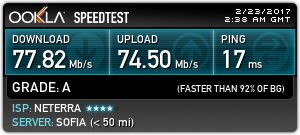
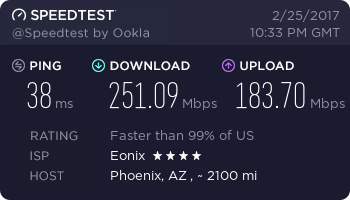
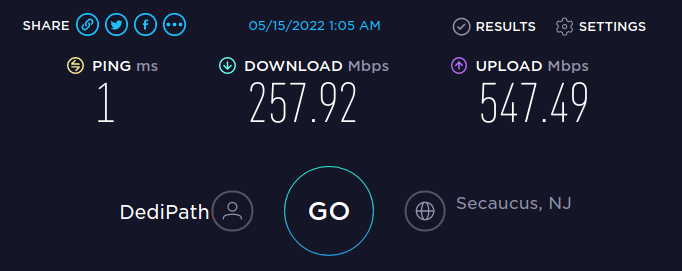
Ookla speed tests are used on our VPSs via their cli tool. The first two are from the old Virmach ones; the third is recent from the first Ethernetservers reseller account.
Mar. 2026: The one I was using is unsupported now, but it still works so far with speedtest-cli --share. Below is how to replace it with the new version when it stops working.
Step-by-step installation on Ubuntu/Debian
- Remove the old conflicting package (important to prevent binary name clashes):Bash
sudo apt remove speedtest-cli sudo apt autoremove # Optional, cleans up leftovers- If it was installed via pip: pip3 uninstall speedtest-cli (or pip uninstall if using Python 2).
- Also check for any old repo files:Bash
sudo rm -f /etc/apt/sources.list.d/speedtest.list sudo apt update
- Install curl if not already present (needed for the repo setup script):Bash
sudo apt update sudo apt install curl - Add the official Ookla repository:Bash
curl -s https://packagecloud.io/install/repositories/ookla/speedtest-cli/script.deb.sh | sudo bash- This script detects your distro/version and adds the correct repo source (works on Ubuntu 20.04+, Debian 10+, and recent derivatives like 24.04).
- Install the official Speedtest CLI:Bash
sudo apt update sudo apt install speedtest - Accept the license and GDPR terms on first run (required only once):Bash
speedtest --accept-license --accept-gdpr- After this, plain speedtest works without flags.
Quick verification
speedtest --version- You should see something like Speedtest by Ookla 1.2.x.x (exact build varies).
How to get your sharable PNG now
- Run a test:
speedtest- In recent versions, it often prints a Result URL: line directly (e.g., https://www.speedtest.net/result/c/xxxxxxxx-xxxx-xxxx-xxxx-xxxxxxxxxxxx).
- For guaranteed structured output (best for scripting/wiki):
speedtest -f json-prettyorspeedtest --format=json-pretty- Look for the “result”: { “url”: “https://www.speedtest.net/result/c/…” } field.
- Append .png → that’s your embeddable image: https://www.speedtest.net/result/c/xxxxxxxx-xxxx-xxxx-xxxx-xxxxxxxxxxxx.png
- One-liner for just the PNG URL
speedtest -f json | grep -oP '(?<="url": ")[^"]+' | sed 's/$/.png/'
If you hit any errors during installation, you can download manual binaries directly from https://www.speedtest.net/apps/cli (pick your architecture: x86_64 for most VPS, arm64 if ARM-based). Untar and move the speedtest binary to /usr/local/bin/.
For future changes / automation,
If you ever run into version drift again, flaky share URLs, or just want to automate grabbing the PNG links (e.g., cron job → append to wiki page or Discord/Telegram notification), feel free to ping me with the output of speedtest –version or whatever error pops up. Happy testing, and enjoy those speedy RackNerd links! 🚀
Grok
The rest is probably redundant but will have some useful info still.
Below Is Redundant
Test output is presented in the console, and a url is given for a shareable page. Adding .png to the url will give an image to share. With some installations, it doesn’t by default provide a url; you can use --share and it will give you a .png link. Removing the .png from the link will give the page instead. Bizzarre.
update 2025-04: Now you have to use –secure as well because http now gives a 403 forbidden.
Installation.
The cli tool link above has instructions for different OSes — for Ubuntu: (now in the repos)
sudo apt update
sudo apt ugrade
sudo apt-get install curl
curl -s https://packagecloud.io/install/repositories/ookla/speedtest-cli/script.deb.sh | sudo bash
sudo apt-get install speedtest-cli
Then run speedtest. Use --share –secure – It will give the data and also a link to the speedtest.net page showing most of that info. Use man speedtest for more, I am sure there were ways to get it to do regular tests and keep them on a page. Maybe it was using cron or something. More research is needed!
Manual Installation
Sometimes the easy install fails; even on a supported version, it can still say:
andy@satoshihost-oc2:/home/ubuntu$ curl -s https://install.speedtest.net/app/cli/install.deb.sh | sudo bash
This distribution version is not currently supported via package management, please use the direct download builds per architecture found at https://www.speedtest.net/apps/cli
Manual installation can be done as outlined here.