Cockpit Server Interface
https://cockpit-project.org/ Can be used to make server management easier for mortals. Has a terminal and lots of admin tools. Already on most repos so e.g. ubuntu
sudo apt-get install cockpit -yStart: systemctl start cockpit
Enable: systemctl enable cockpit (seems not necessary any more)
Check: systemctl status cockpit
Listening? ss -antpl | grep 9090
Port is 9090
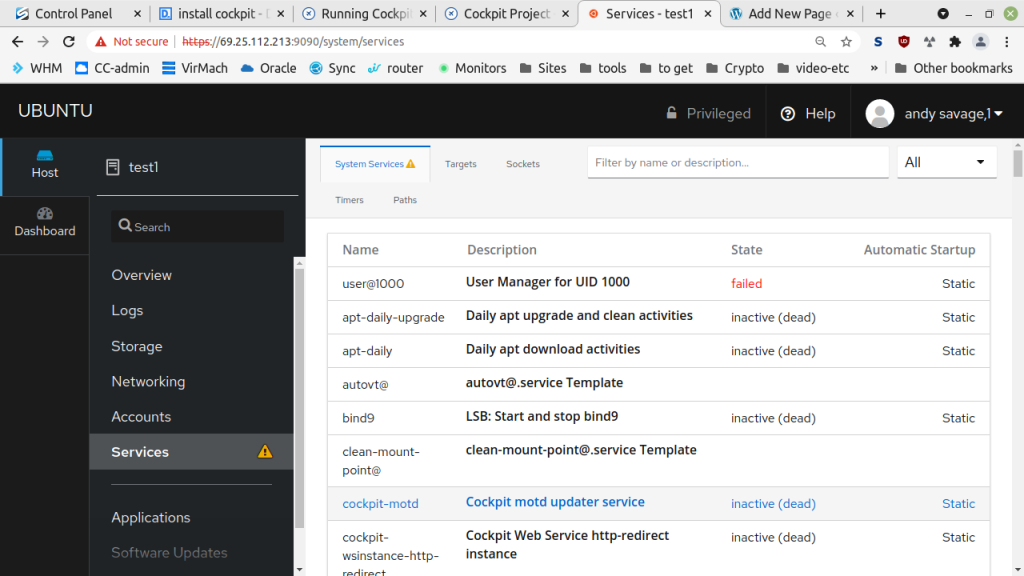
If it doesn’t auto start, systemctl enable --now cockpit.socket
Overview
It’s got alot of other stuff too, for managing multiple VMs or any servers – More research is necessary!
More info on set up here. And archived as a pdf here.
Notes
If cockpit doesn’t start, activate the web console with: systemctl enable --now cockpit.socket
Error message about being offline
cockpit “Cannot refresh cache whilst offline.”
Solution
Create a placeholder file and network interface.
- Create
/etc/NetworkManager/conf.d/10-globally-managed-devices.confwith the contents:[keyfile] unmanaged-devices=none - Set up a “dummy” network interface:
nmcli con add type dummy con-name fake ifname fake0 ip4 1.2.3.4/24 gw4 1.2.3.1 - Reboot
Explanation
Ubuntu uses two different network stacks that don’t play well together. Cockpit’s software update page uses PackageKit, which checks NetworkManager. However, as the network interfaces are primarily managed by netplan and systemd-networkd in Ubuntu, NetworkManager reports back to PackageKit that the network is offline as a critical error message and stops further actions.
Network Manager needs to manage at least one interface; otherwise, it reports to the system that it’s “offline.” This gives it a fake one to manage. But! It seems to keep recurring, so maybe the fix doesn’t stick and the problem recurs after a reboot. So how do I make it permanent? Or is there a better solution?